Microsoft Entra ID
Assess users, privileged roles, MFA registration, PIM eligibility/activation, Conditional Access posture, applications, consent, owners, and credential metadata.
SPB Labs · Identity Security
Identity Security Posture Assessment for Microsoft Entra ID & Active Directory
Find identity risk. Prioritize remediation. Demonstrate improvement. IdentityGuard combines local read-only collectors with browser-local analysis to assess Entra ID, Active Directory, and hybrid identity environments without requiring raw directory data to be stored on an IdentityGuard server.
Use synthetic demo data immediately, or run the local collectors in an authorized environment and import the generated JSON.
Why IdentityGuard
Administrators can see users in one console, privileged roles in another, Conditional Access somewhere else, on-premises group membership in Active Directory, and application consent in yet another view. The difficult part is turning those separate signals into a prioritized security picture.
IdentityGuard brings those signals into one assessment workflow: identify the risk, explain why it matters, show what to remediate, track the work, reassess, and communicate the result.
Capabilities
IdentityGuard is designed around the full lifecycle of identity security work—not just a single score.
Assess users, privileged roles, MFA registration, PIM eligibility/activation, Conditional Access posture, applications, consent, owners, and credential metadata.
Assess privileged groups, stale accounts, password-account flags, Kerberos preauthentication, delegation, service-account indicators, computers, and domain policy.
Correlate Entra and AD identities to surface cross-environment privilege, authentication, lifecycle, service-account, and legacy-configuration risk.
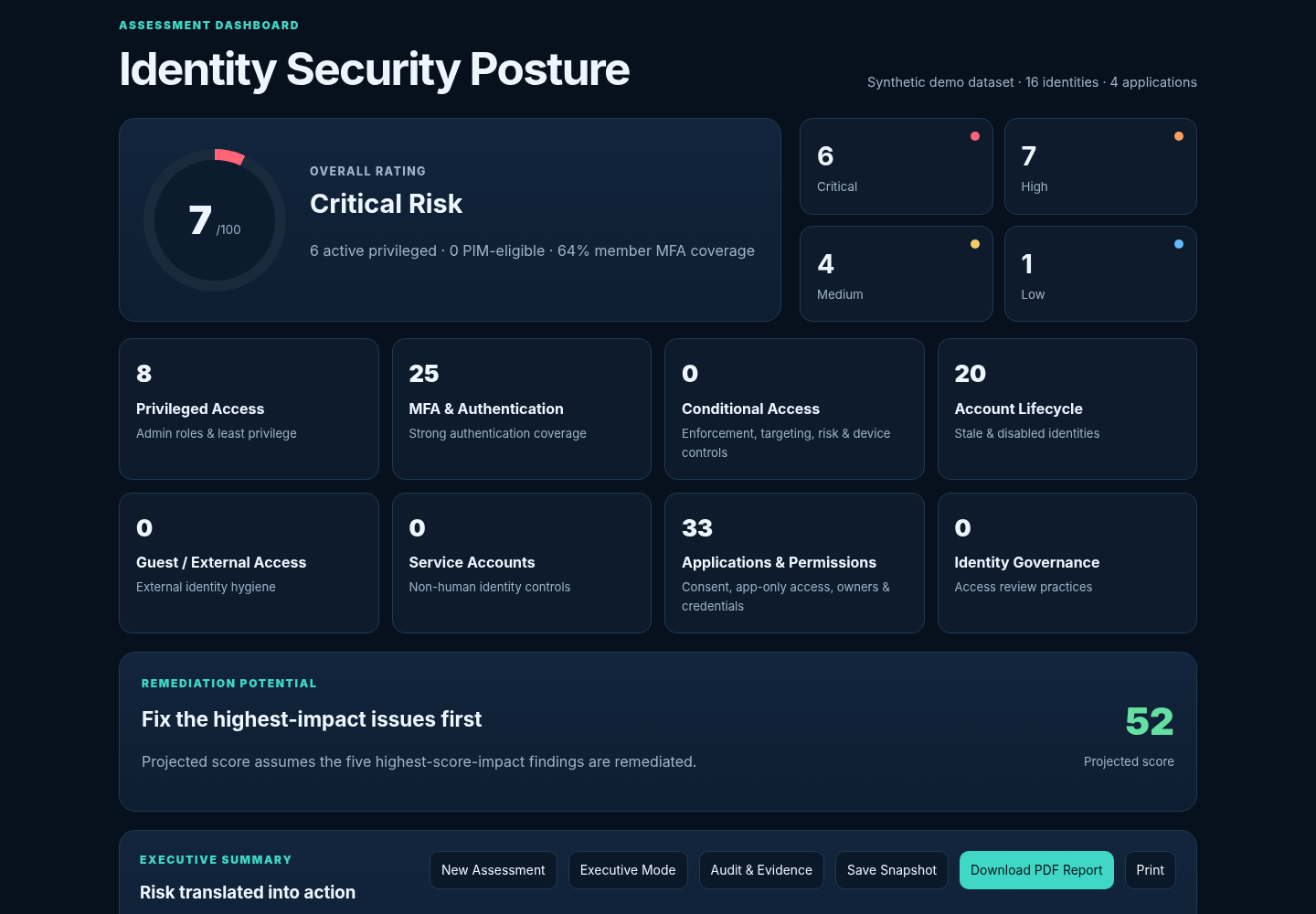
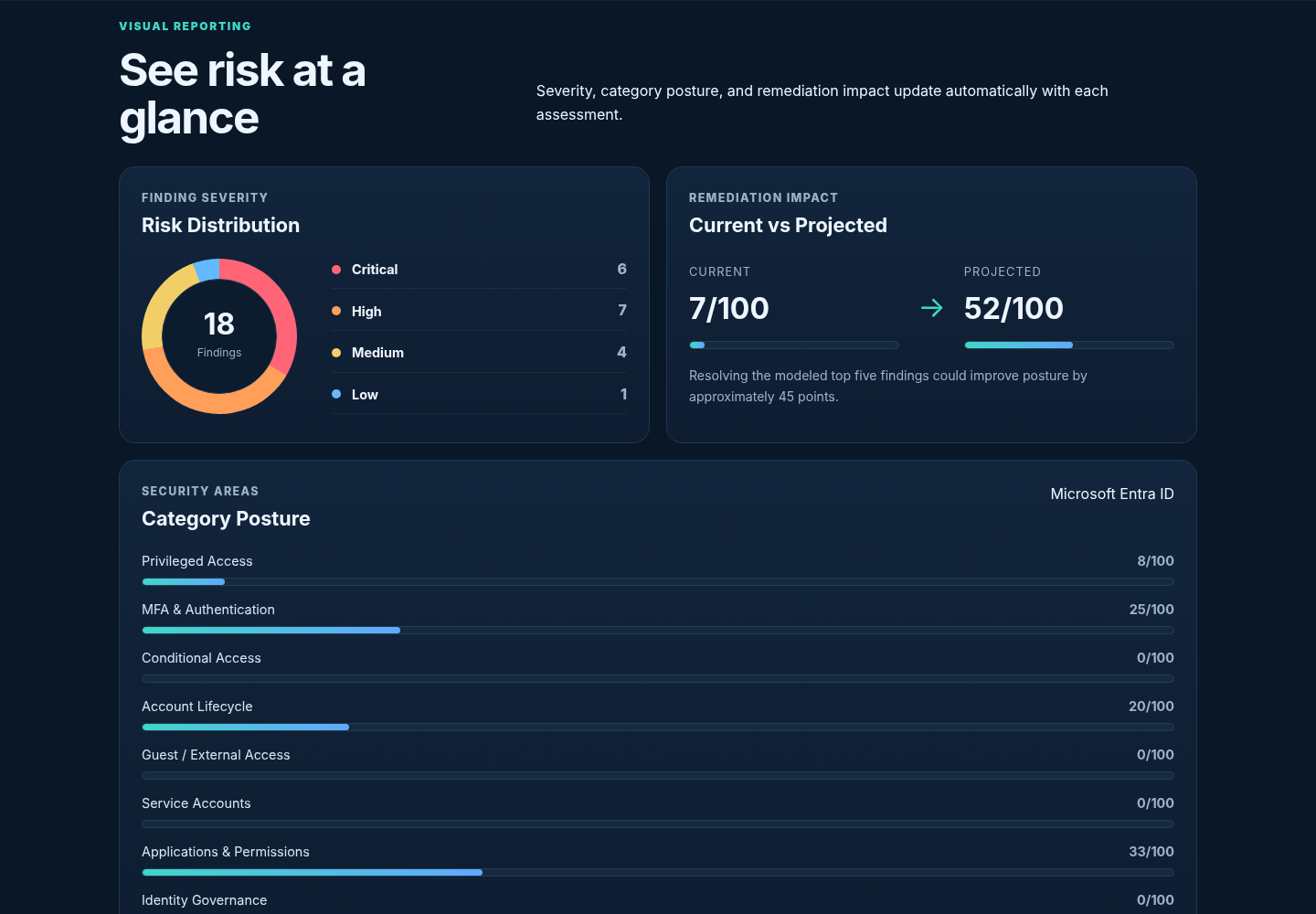
Translate findings into severity, category scores, overall posture, remediation potential, risk distribution, and current-versus-projected security posture.
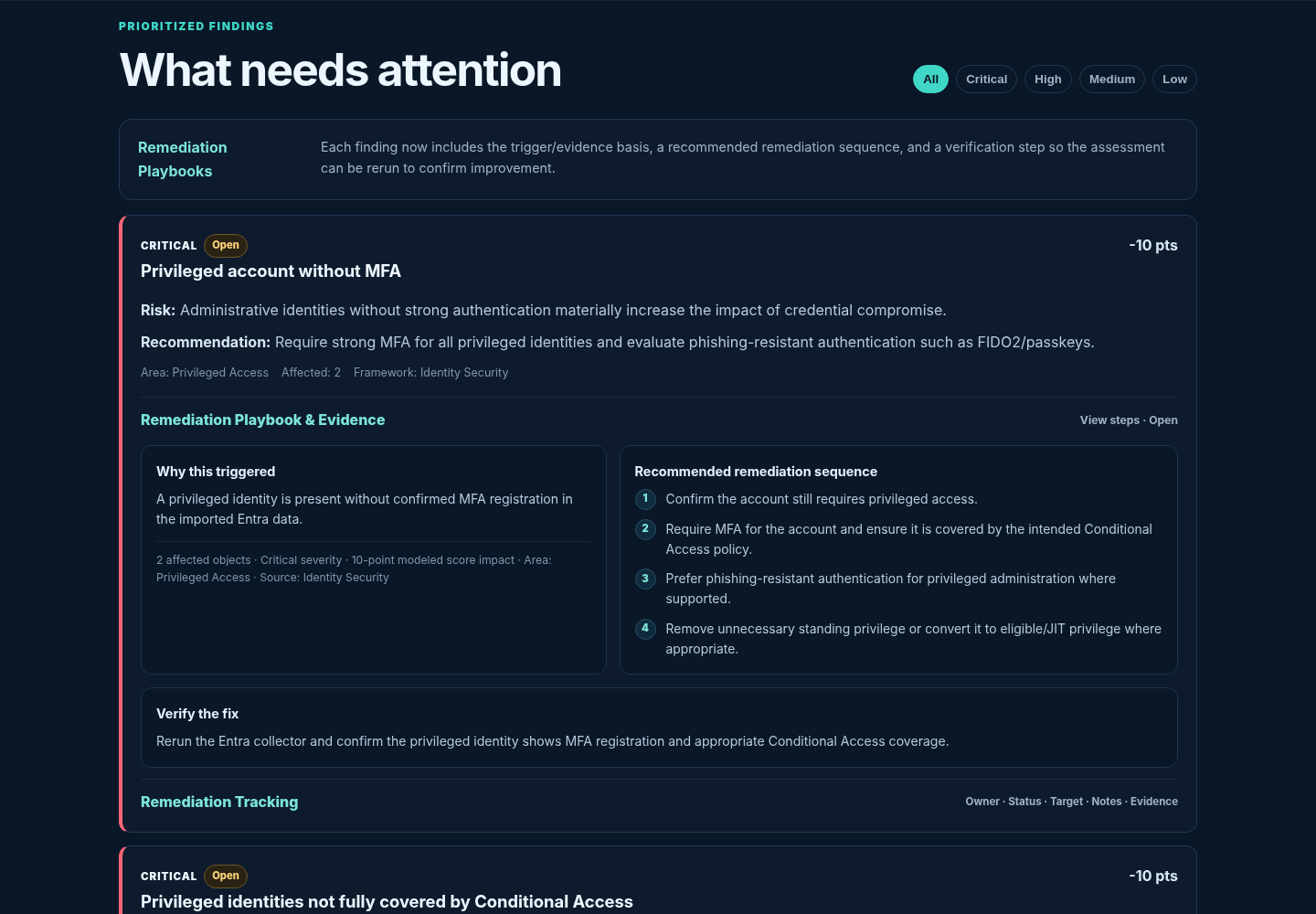
Every finding includes trigger context, risk explanation, remediation sequence, verification guidance, and modeled score impact.
Manage Open, In Progress, Accepted Risk, and Resolved findings with owner, target date, notes, and remediation evidence.
Save browser-local snapshots and compare baseline versus follow-up: score, critical/high counts, categories, resolved findings, new findings, and persistent risks.
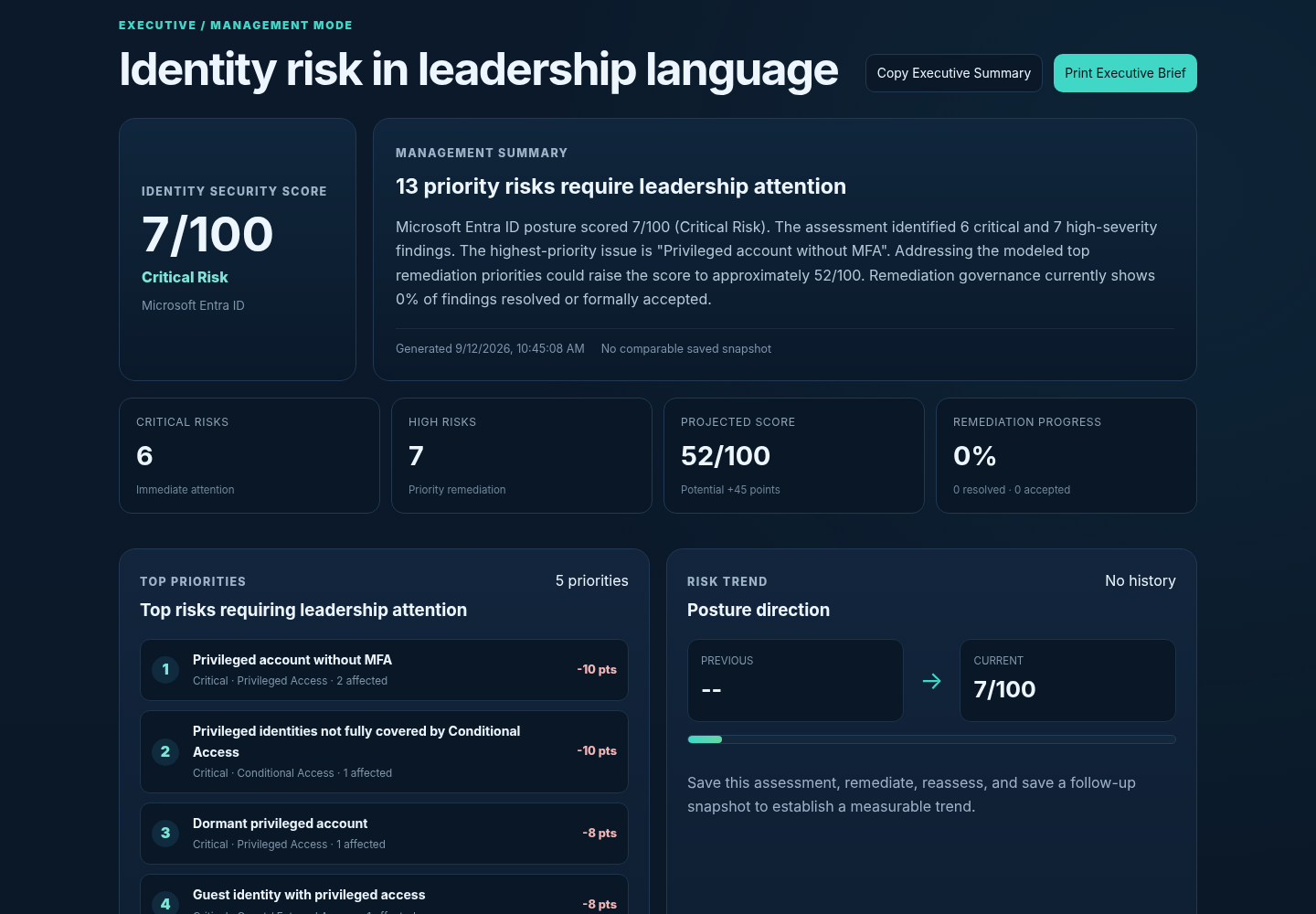
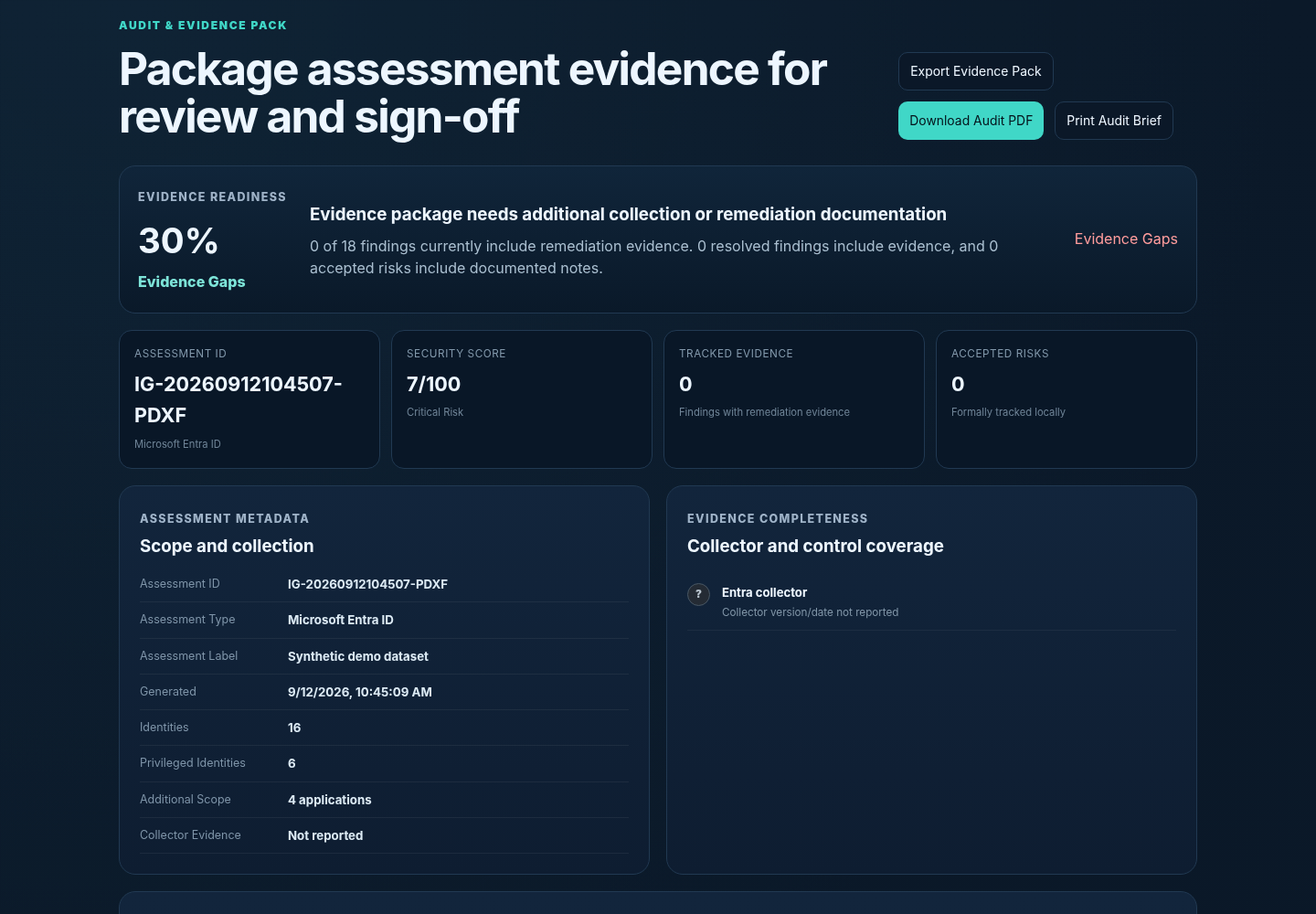
Generate leadership-ready summaries, PDF reports, management priorities, trend views, Evidence Readiness, accepted-risk registers, sign-off, and an Audit & Evidence Pack.
Architecture
The architecture intentionally separates data collection from the public web application.
Privacy & Security Model
IdentityGuard V1.2 is designed so the raw assessment dataset can be processed in the browser instead of being stored in an IdentityGuard server-side database.
Read the Security Details →Imported Entra/AD JSON is analyzed in the browser in the current release.
Collectors are not designed to export passwords, password hashes, Kerberos keys, or application secret values.
Email bodies, Teams messages, OneDrive/SharePoint document content, and arbitrary user files are not part of the collector design.
Collector output can be anonymized when real identity names are unnecessary.
Names, UPNs, roles, application metadata, account status, and security configuration should be handled as confidential security information.
History, remediation tracking, and sign-off summaries use browser localStorage, so use a trusted managed browser profile.
Workflow
A repeatable workflow turns a point-in-time assessment into evidence of risk reduction.
Run the authorized Entra and/or AD collector locally.
Select the generated JSON in IdentityGuard.
Review score, categories, findings, visuals, and projected posture.
Start with Critical and High findings and open the remediation playbooks.
Assign owner, target date, status, notes, and evidence.
Run fresh collectors after approved remediation changes.
Measure before/after score and finding changes using saved snapshots.
Use PDF, Executive Mode, and Audit & Evidence Pack for stakeholders.
Product Screenshots
Screenshots below use IdentityGuard's synthetic demo dataset; they do not contain production identity data.
What You Gain
See cloud, on-premises, and hybrid identity risk in one prioritized view.
Turn findings into owned remediation work with target dates and evidence.
Show how posture changed after remediation instead of relying on anecdotal progress.
Give technical teams, management, and audit different views of the same assessment.
Keep the raw assessment workflow local rather than requiring a hosted identity-data repository.
Document accepted risk, resolved evidence, limitations, sign-off, and review status.
Ready to Explore
Start with the synthetic demo dataset, review the full workflow, then use the local collectors when you are ready to assess an authorized environment.